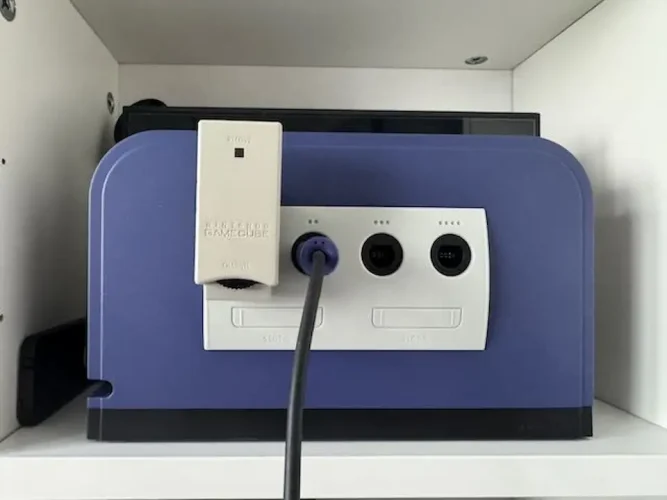
When you’ve owned Nintendo consoles for as long as I have, you begin to get numb to the idea of a plastic McGuffin you encase your console/controller with. Yet, for all of the tennis racquet Wii Remote addons, controller grips and the like; it’s always nice when you get a chance to see something that delivers some real functionality. For it is Retro Fighters Battle Dock that is currently giving my Nintendo Switch 2 a warm embrace; and despite the odd product name that is giving me Masters of The Universe vibes, it does offer promise for those of us who like to play the oldies.
It has long been argued that authenticity is a trait that shouldn’t be an afterthought when playing old videogames; and while this particular writer does enjoy original hardware, I would never gatekeep the way anyone plays their old games (unless you’re one of those sickos that plays 4:3 aspect ratio games in widescreen, in which case you can go straight in the bin). Play your games, your way. But, having said that, there is absolutely a point where seeking a modicum of authenticity can improve the retro gaming experience.
Take the Nintendo Switch 2’s GameCube Classics offering. Using the Nintendo Switch 2’s comfortable Joy-Cons or superb Pro Controller is more than sufficient for sessions of Luigi’s Mansion, it’s arguably improved when playing on the controller configuration it was designed for; the rounded, awkward looking but surprisingly comfortable GameCube pad. The giant A-button that can never be missed in the heat of action, the bean-shaped X and Y buttons that are never accidentally pressed, and those squishy analog triggers with the satisfying click when fully squeezed. Without all of that, GameCube games are just….wrong somehow.
Nintendo have offered modern GameCube controller solutions for the past few generations, with brand new pads with USB plugs, or even four-player adapters for original pads to plug into the Wii U/Switch/Switch 2 via USB. More recently, Nintendo released a wireless version for use with the GameCube Nintendo Classics. The catch? They’re a whopping £58.99 at the time of writing, and that’s a lot of cash to splash on a retro pad.
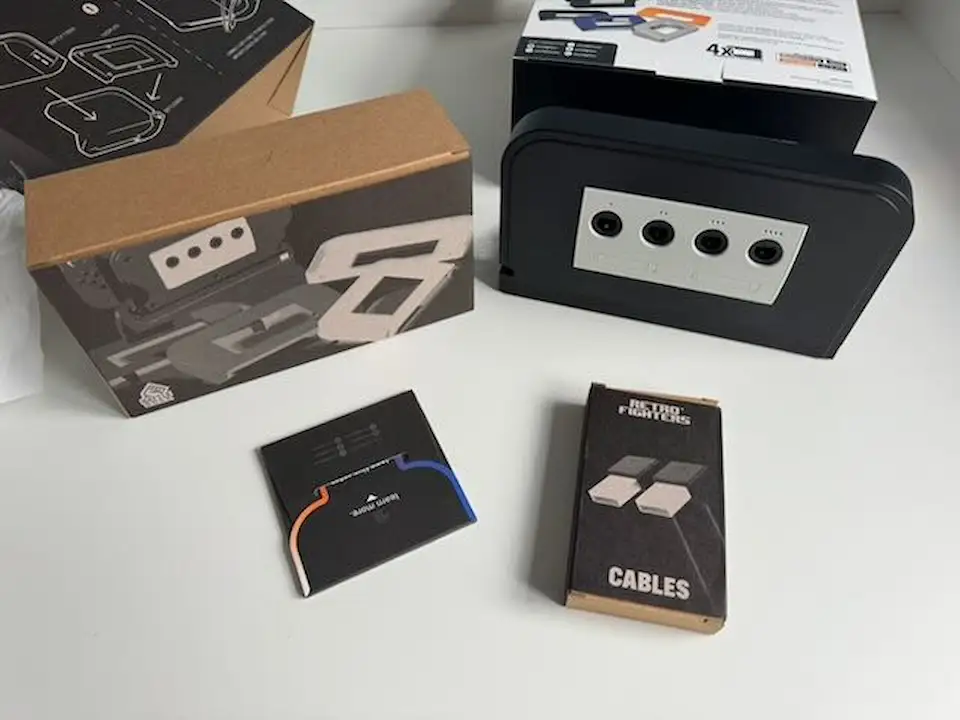
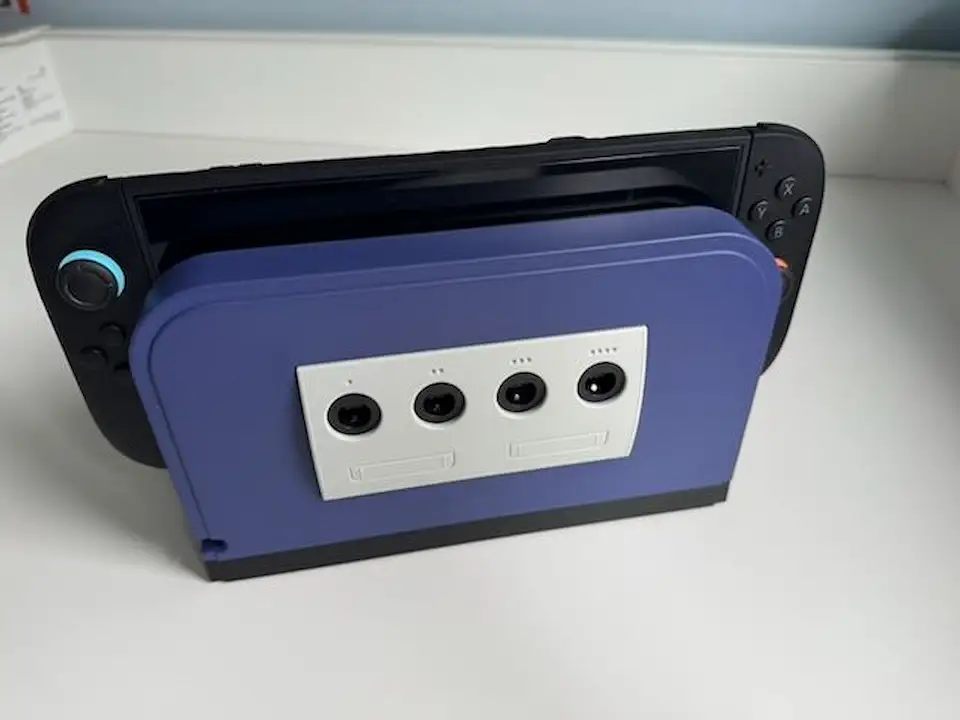
Retro Fighters has been releasing reimagined modern versions of classic controllers for a while now, and they’ve come up with an interesting alternative. It’s an adapter that allows up to four original GameCube controllers to connect to the Nintendo Switch 2, in an elegant form factor that fits over your Switch 2 dock. It’s neat, it’s functional, it looks great: it’s the Battle Dock.
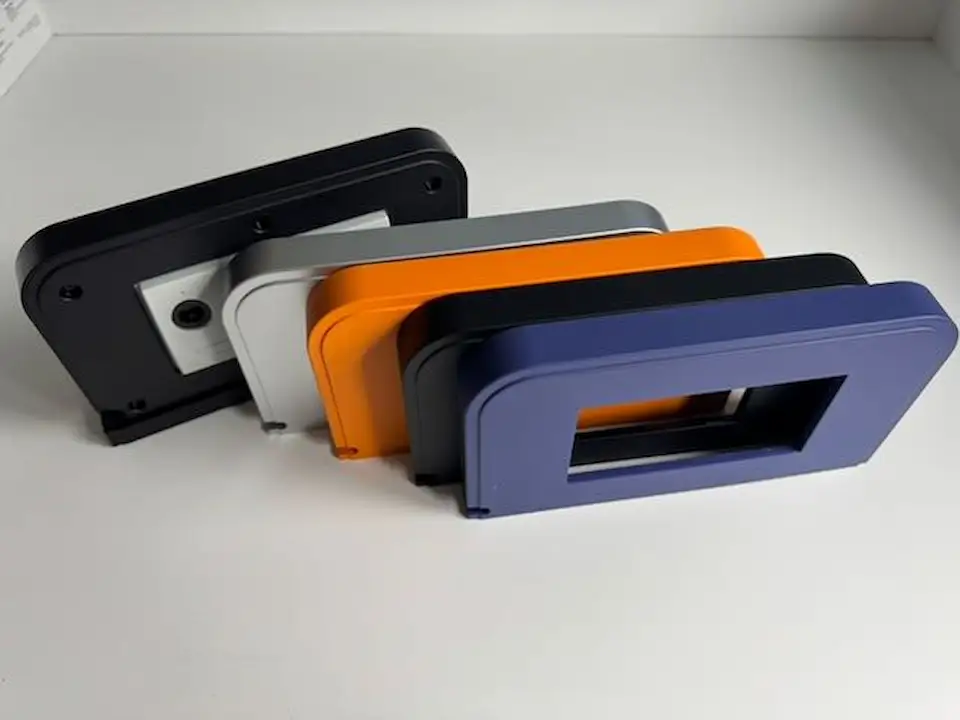
This is not a replacement dock, oh no; this is a plastic shell of sorts that fits around your Nintendo Switch 2’s standard dock, without blocking any essential airflow. It’s a striking design, mimicking the GameCube’s playful front panel with its four controller ports and even two fake Memory Card ports underneath. The real attention to detail is with the included faceplates that magnetically attach and can be swapped over at your whim, with four quintessential GameCube system colours ready to use in the box; the understated Jet Black, the premium Platinum Silver, the classic Indigo and the connoisseurs choice – Spice Orange.
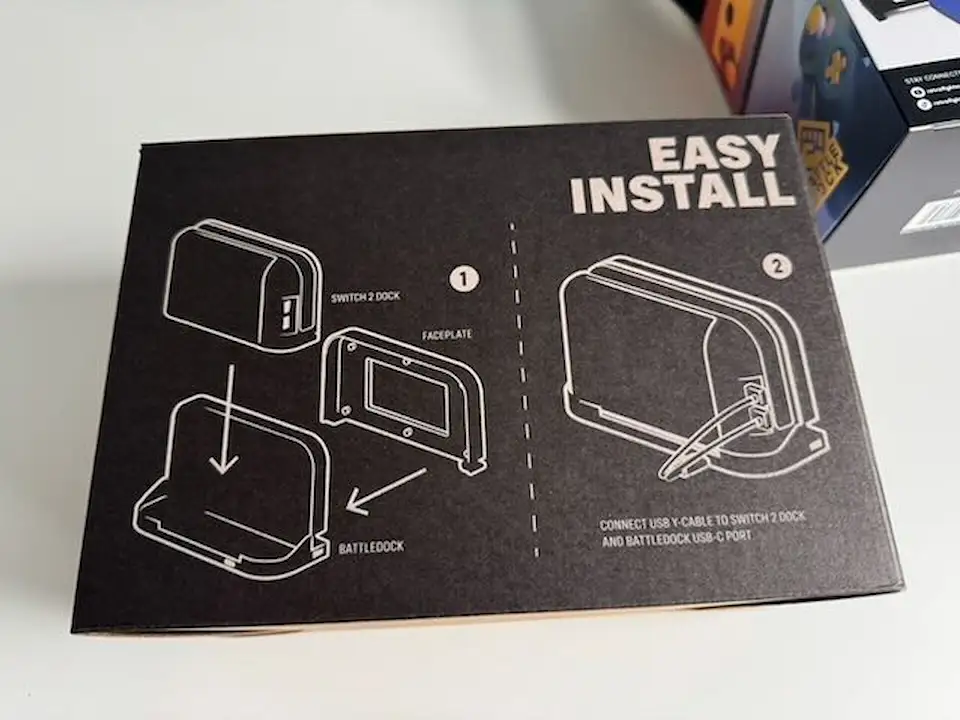
Once the Dock is inserted into the Battle Dock, there’s a breakout Y-cable that connects the Battle Dock to both USB ports of the original Dock. Sensibly, there is no loss of USB ports as the Battle Dock relocates them to each side. It’s a tidy design, and a much more elegant solution than prior GameCube to USB adapters – The build quality is superb, and the whole unit, grippy rubber feet and all; give a great deal of needed weight and stability to the Dock as a whole. There’s even a cute little cut-out so you can see the Switch 2’s power LED.
If you’ve got some old GameCube controllers lying around, the Battle Dock was made for you. Just plug those pads in and the Switch 2 will pick them up as USB controllers and you’ll be able to play. Got some Wavebirds? No problem, they work as they should. Hell, I even tried a cheap and nasty GAME-branded wireless pad I had lying around and had no problems.
By the way, whilst the Battle Dock isn’t designed to fit the original Nintendo Switch Dock, there’s nothing stopping you from connecting the cables to the older Dock as an unsightly breakout box of sorts, and it works identically to when using the Switch 2 version. Untidy, yet functionally sound.
Time to play; first up is one of the secret best GameCube games, F-Zero GX; an eye-meltingly fast racer that is the perfect latency test for the Battle Dock. I don’t have the kit for a proper latency test, but Retro Fighters claims of “ultra-low” latency seem to be legit in this case, and what’s more, the analog triggers work exceptionally well; something you’ll be missing when playing the game using the Switch 2’s Joy-Cons or Pro Controller. Lightly squeezing those triggers to activate the turning brakes for those tight turns is essential for this hard as nails title, and as someone who has recently spent a considerable amount of time playing on a real GameCube; this all works as it should.
Now that I’ve played a little F-Zero GX, maybe I’ll just make a save and play something else… Ah. I can’t.
There is a rather annoying limitation to how the Battle Dock works, and that’s entirely to do with how the Nintendo Switch 2 deals with controllers. Unfortunately, original GameCube controllers never had the additional buttons that the Nintendo Switch needs for certain functions such as opening the Nintendo Classics UI or even getting back to the Home screen.
At all times, you’ll need to have some sort of Nintendo Switch/Switch 2 pad on hand to quit out of GameCube Classics before re-entering it to pick a different game. It’s a bit of an annoyance, but not one I think can be elegantly solved. It’s a big caveat to using the Battle Dock as it was originally intended. But let’s put that aside and play some more games.
Super Mario Sunshine: likely no-one’s favourite Super Mario game, but the analog trigger-powered FLUDD mechanics made for interesting gameplay, and nothing is lost using an original pad with the Battle Dock. Super Smash Bros. – Far from my favourite game to play, but given that the GameCube controller is the de-facto standard for the series, it’s easy to see why.
We’re not limited to GameCube Classics of course, because the Switch 2 sees your old GameCube pad as just a standard USB controller. Unfortunately, your mileage may vary as the limitations of the Switch 2 operating system and non-Switch pads become a real issue. I thought Metroid Prime Remastered would be a great opportunity to play with a GameCube pad once again, but there’s no way to redefine the buttons in a way that works. On the flip side, if you’re getting this for Smash Bros. Ultimate, you’ll be more than happy as the game is very friendly to GameCube controller players. I tried countless other games, but very few that really worked well enough for me to pick a GameCube controller over any other. Because all controllers are read as generic USB controllers (in the same way they did with the old Official Nintendo GameCube adapter), unless the game you want to play has the ability to redefine buttons, you’re not going to be getting much out of this.
Which is so bloody frustrating! The Battle Dock should be a must-have device for fans of the GameCube or 4-player Smash Bros. sessions. Retro Fighters has made a superb controller adapter that has been incredibly well-designed from both an aesthetical and functional standpoint. I can’t fault any aspect of the Battle Dock itself, but it is hampered by the limitations of the Nintendo Switch operating system itself, and that’s an incredible shame.
For anyone other than die-hard Smash Bros. Ultimate players, if you want to use a GameCube controller that much, you are probably just about better off buying the official Nintendo GameCube pad. Yes, it’s twice the price of the Battle Dock, but it is a much more seamless solution, especially if you’re only looking to play Nintendo GameCube Classics. If you’ve got the original hardware already, however, and want to save a bit of cash, and can accept the issues above, then it’s a great product.